Connect Claude, ChatGPT or Gemini
The exact steps for each client: claude.ai, mobile app, Claude Code, ChatGPT developer mode, Gemini CLI and Gemini Enterprise.
In every case the address is https://mcp.novadesko.com and the Novadesko page opens to choose the company and permissions. The same tutorial, with a Copy button, is in Novadesko under Integrations, Claude, ChatGPT or Gemini.
Claude
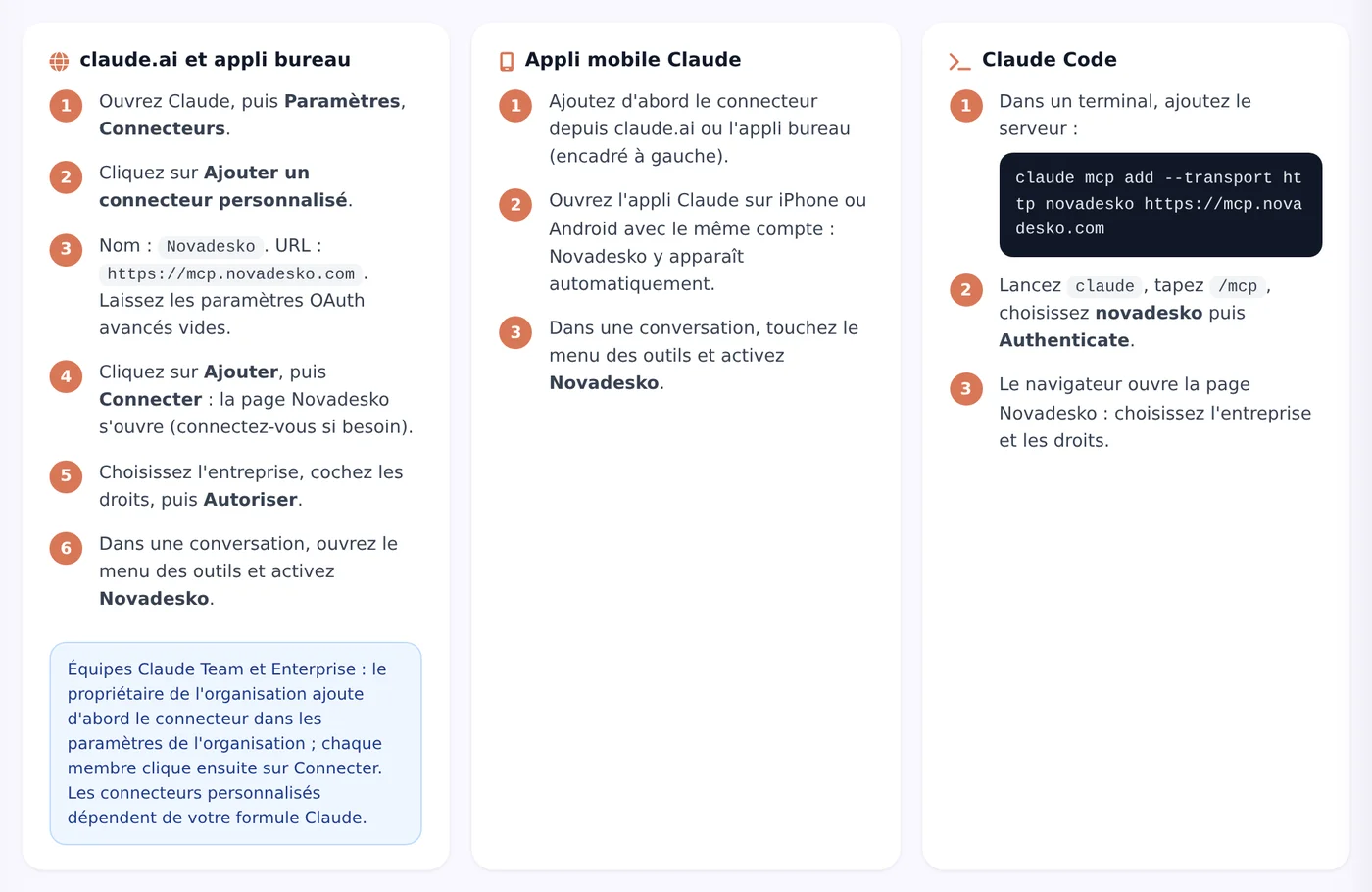
- In Claude, open Settings, then Connectors.
- Click Add custom connector.
- Name:
Novadesko, URL:https://mcp.novadesko.com. Leave the advanced OAuth settings empty. - Click Add, then Connect: the Novadesko page opens.
- Choose the company and permissions, then Authorize.
- In a conversation, turn on Novadesko in the tools menu.
Claude mobile app: nothing to paste, the connector added on claude.ai shows up by itself. Claude Team and Enterprise: the organization owner adds the connector first, then each member clicks Connect.
Claude Code
claude mcp add --transport http novadesko https://mcp.novadesko.comStart claude, type /mcp, pick novadesko, then Authenticate.
ChatGPT
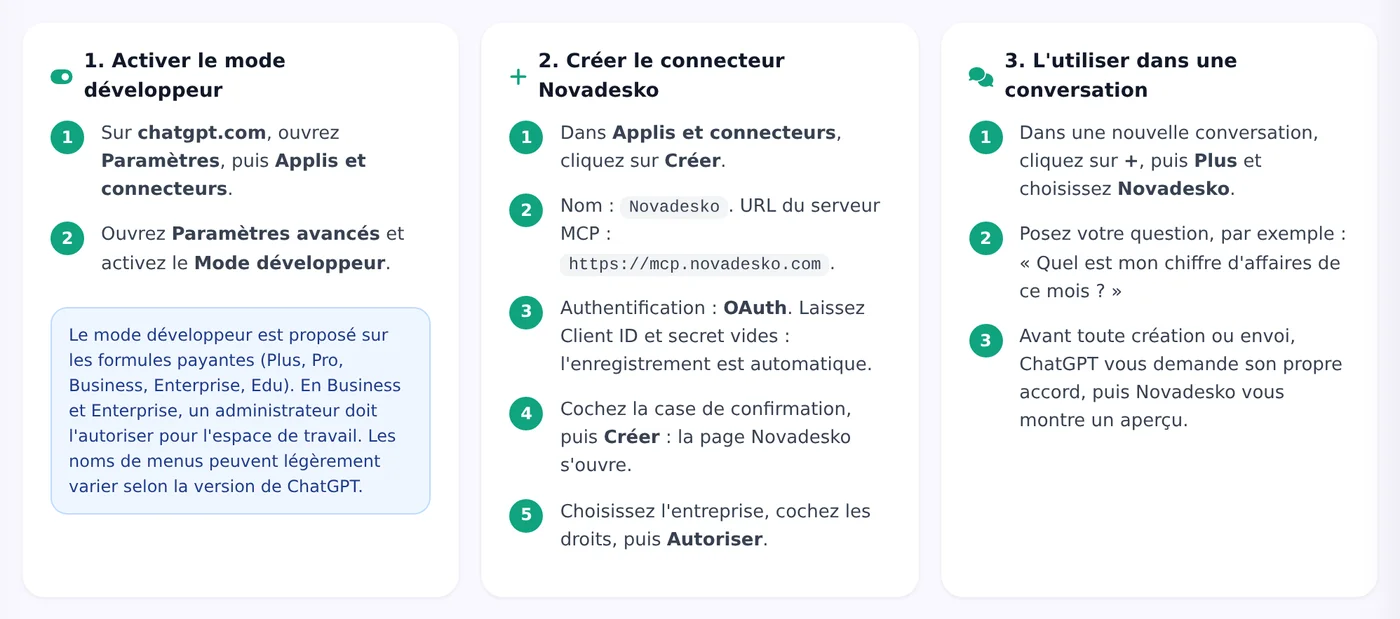
- On chatgpt.com: Settings, Apps and connectors, Advanced settings: turn on Developer mode.
- In Apps and connectors, click Create.
- Name:
Novadesko, MCP server URL:https://mcp.novadesko.com, authentication OAuth, Client ID and secret empty. - Tick the confirmation box, then Create; authorize on the Novadesko page.
- In a conversation: +, More, Novadesko.
ChatGPT asks for its own approval before an action, then Novadesko shows the preview. Menu names may vary between ChatGPT versions.
Gemini CLI
gemini mcp add --transport http novadesko https://mcp.novadesko.comOr in settings.json:
{ "mcpServers": { "novadesko": { "httpUrl": "https://mcp.novadesko.com" } } }Start gemini, then /mcp auth novadesko.
Gemini Enterprise
Gemini Enterprise cannot register itself. The administrator creates a client ID in Novadesko (Integrations, Gemini, Create a client ID), then adds a custom MCP server connector in the Gemini Enterprise console:
| Field | Value |
|---|---|
| Server URL | https://mcp.novadesko.com |
| Authorization URL | https://web.novadesko.com/ai-oauth/authorize |
| Token URL | https://mcp.novadesko.com/ai-oauth/token |
| Client ID | the ID created in Novadesko |
| Client secret | not used (for example none) |
| Scopes | read write send |
| PKCE | on |
| Registered redirect URL | https://vertexaisearch.cloud.google.com/oauth-redirect |
Custom MCP servers are in preview in Gemini Enterprise; a Google Cloud organization policy may need to be lifted. The consumer Gemini app does not yet allow a connector in Belgium or with a work account.
Check and revoke
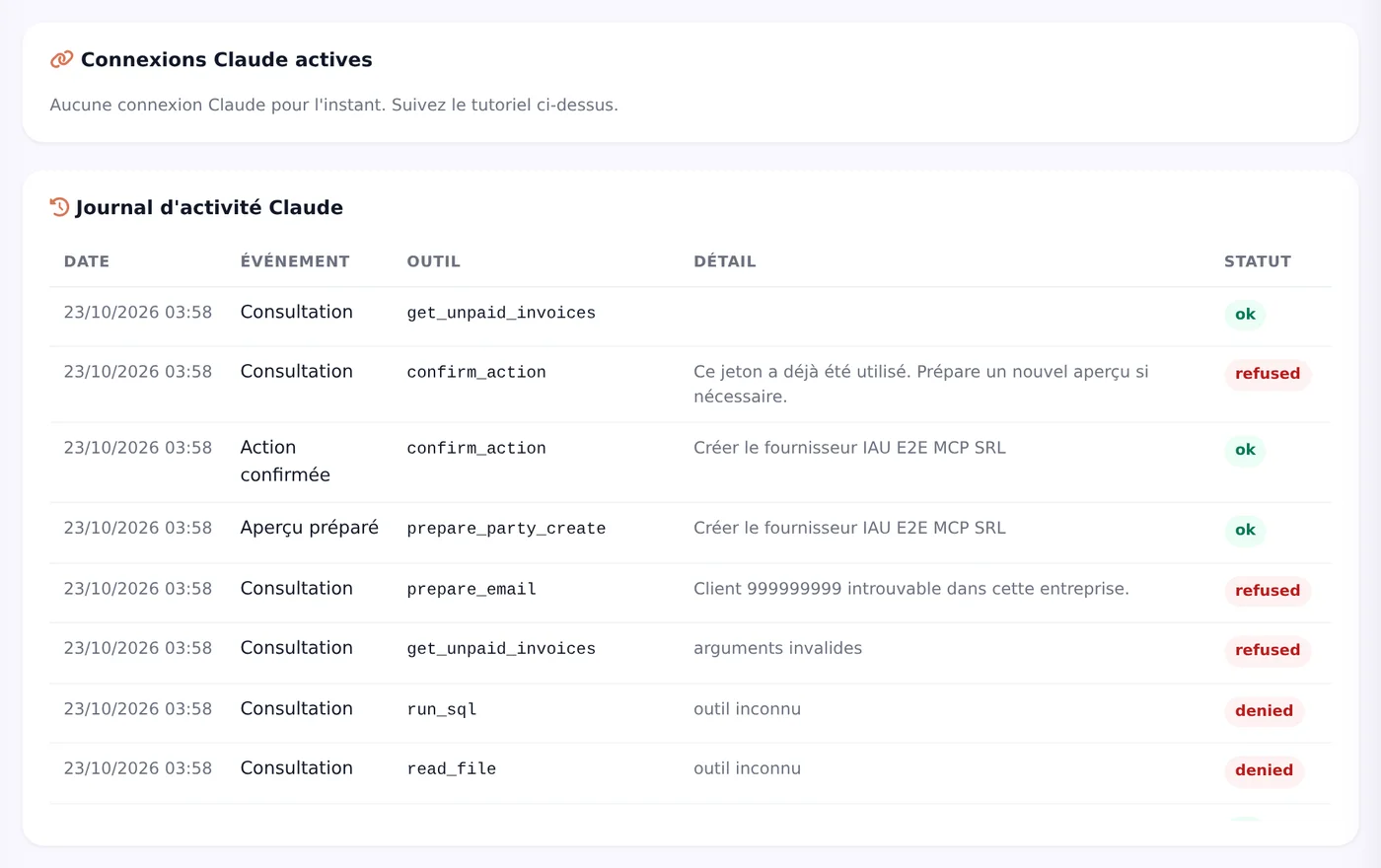
Each integration page lists active connections and the activity log. The Revoke button cuts access immediately.